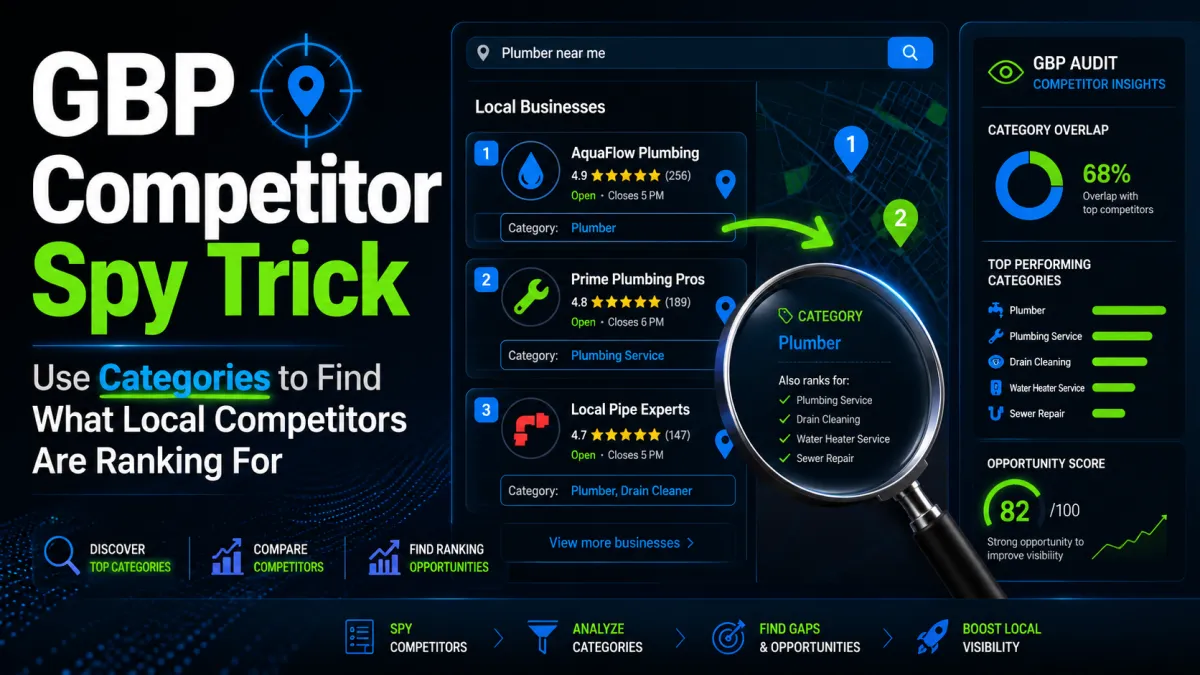
GBP Competitor Spy Trick: How to Use Categories to Find What Local Competitors Are Ranking For
GBP Competitor Spy Trick: How to Use Categories to Find What Local Competitors Are Ranking For
If you run a contracting or local service business, your Google Business Profile is often the first place customers decide whether to call you or move on. One of the fastest ways to uncover why a competitor is getting more visibility is to study their categories.
This is not a hack. It is a diagnostic method.
Google Business Profile categories strongly influence where a business can appear in local search and Maps. If a competitor is ranking ahead of you for "emergency plumber," "roof repair," or "garage door spring replacement," there is a good chance their category setup is part of the reason.
In this post, you'll learn a practical GBP competitor spy trick using categories so you can identify gaps in your own profile, compare against nearby competitors, and make cleaner visibility decisions.
---
## Why GBP Categories Matter
Google uses categories to understand what a business does. Your primary category is one of the strongest local ranking signals on your profile. Secondary categories can also help you surface for related services.
For contractors and local service businesses, categories can influence visibility for searches like:
✔️ lumber near me
✔️ HVAC repair in [city]
✔️ roofing contractor
✔️ electrician for panel upgrade
✔️ garage door repair
✔️ tree service removal
✔️ pest control company
✔️ water damage restoration
If your profile categories are too broad, too narrow, or mismatched with what you actually sell, you may be losing visibility to competitors who have a cleaner category structure.
---
## The Competitor Spy Trick: Category Method
The goal is simple:
1. Identify the businesses outranking you.
2. Inspect their Google Business Profile categories.
3. Compare them against your own.
4. Find category patterns tied to visibility.
This is not about copying blindly. It is about understanding what Google is likely associating with those businesses.
### Step 1: Find the Right Competitors
Do not just pick the biggest brand in town. Look for businesses that rank in the map pack for your main services and service areas.
For example:
- A plumber in Dallas should check who ranks for water heater repair Dallas and emergency plumber Dallas.
- A roofing contractor in Tampa should inspect businesses appearing for roof leak repair and roof replacement.
- An electrician in Phoenix should compare profiles ranking for "panel upgrade" and "ceiling fan installation."
You want competitors that are:
- in your service area
- offering similar services
- consistently visible in Maps and local organic results
### Step 2: Open Their Google Business Profiles
Search the target keyword and review the map pack results.
Then open each competitor's profile and note:
- primary category
- secondary categories
- services listed
- business name formatting
- review count and relevance
- location/service area structure
The category data is the first thing to document.
### Step 3: Compare Category Structure
Look for patterns.
For example:
- If three top-ranking plumbers all use Plumber as primary, but your profile uses Drainage service, that mismatch may be limiting you.
- If top HVAC companies use HVAC contractor plus secondary categories like Air conditioning repair service and Furnace repair service, while your profile only lists Heating contractor, you may be under-signaling key services.
- If top roofers use Roofing contractor but also add Gutter cleaning service and Siding contractor, they may be capturing more related queries.
The point is not to load up categories randomly. The point is to align your profile with the search terms Google already connects to winning competitors.
### Step 4: Match Categories to Real Services
Only use categories that reflect actual services you provide.
A few practical examples:
#### Example: Plumbing Company
A strong category setup might include:
- Primary: Plumber
- Secondary: Drainage service
- Secondary: Water heater installation service
- Secondary: Sewer service
If you offer drain cleaning, water heater replacement, and sewer line work, this structure helps reinforce those service associations.
#### Example: Roofing Contractor
A roofing business might use:
- Primary: Roofing contractor
- Secondary: Gutter service
- Secondary: Siding contractor
- Secondary: Roof inspection service
If competitors are showing up for roof inspections and leak repair, this category mix can help support that visibility.
#### Example: HVAC Company
A local HVAC business may benefit from:
- Primary: HVAC contractor
- Secondary: Air conditioning contractor
- Secondary: Furnace repair service
- Secondary: Air duct cleaning service
If your competitors are getting more calls for AC repair in summer, check whether they’re reinforcing that service with categories and profile content.
#### Example: Electrician
An electrician may use:
- Primary: Electrician
- Secondary: Electrical installation service
- Secondary: Lighting contractor
- Secondary: Generator shop or generator installation service
If a competitor is visible for “panel upgrade,†their category and service signals may be more aligned than yours.
---
## How to Read the Results
Category data should be treated like evidence, not proof.
A competitor with strong rankings may have:
- a better primary category
- more relevant secondary categories
- stronger review content
- more complete services
- better proximity
- better website alignment
- stronger local authority
So if you find a category gap, treat it as one part of the visibility problem.
### What to Look For
When comparing your profile to competitors, ask:
- Is my primary category the best fit for my main money service?
- Am I missing a category that clearly matches what I sell?
- Are competitors using categories I do not have?
- Are my categories too generic for the searches I want?
- Does my category structure match my service pages and website content?
If the answer to several of these is “no,†you likely have a visibility problem.
---
## Common Category Mistakes That Hurt Local Visibility
### Using the Wrong Primary Category
Your primary category should reflect the core service customers search for most often.
Bad example:
- Primary: General contractor
- But the business mainly does emergency plumbing
Better:
- Primary: Plumber
### Overloading Secondary Categories
Do not add categories just because they sound related.
If you are an electrician, do not add unrelated categories like:
- handyman
- construction company
- security system supplier
That can muddy your profile and weaken relevance.
### Choosing Broad Categories for Narrow Services
If you are a specialist, be specific.
For example:
- “Roofing contractor†is better than “Construction company†for a roofer.
- “HVAC contractor†is better than “Mechanical contractor†for most local HVAC searches.
### Ignoring Competitor Patterns
If every top-ranking competitor in your area uses a certain category combination and you do not, that is a signal worth checking.
---
## A Practical Audit Process for Contractors and Local Services
Here is a simple, repeatable process you can use:
### 1. Pick 5 Competitors
Choose businesses ranking for your top service keywords.
### 2. Record Their Categories
Write down the primary and secondary categories for each profile.
### 3. Compare to Your Profile
Look for missing or mismatched categories.
### 4. Check Service Pages
Make sure your website actually supports the categories you plan to use.
### 5. Review Search Intent
Match categories to the services people are actually searching for in your market.
### 6. Make Controlled Changes
Update only what is relevant. Avoid changing too many variables at once.
This keeps the process practical and reduces guesswork.
---
## What This Means for Visibility
The category method works because it helps you identify how Google may be classifying the businesses that outrank you.
For local service businesses, visibility usually comes down to alignment:
- category alignment
- service alignment
- review alignment
- website alignment
- location/service area alignment
When those signals match, Google has an easier time understanding when your business should appear.
If they do not match, your profile can look complete on the surface but still underperform in the map pack.
---
## FAQ
### How many categories should I use on my Google Business Profile?
Use only the categories that accurately reflect your actual services. A strong profile usually has one clear primary category and a few relevant secondary categories.
### Should I copy my competitor's categories exactly?
No. Use competitor data as a guide, not a template. Only choose categories that match services you actually provide.
### Can changing categories improve rankings?
It can help if your current categories are inaccurate or too generic. But categories are only one ranking factor, so results depend on your overall profile quality and local competition.
### How do I know which category should be primary?
Your primary category should match your main money-making service and the search term customers are most likely to use.
### What if my competitor ranks well but has fewer reviews?
They may have stronger category alignment, better service relevance, or stronger proximity signals. Reviews matter, but they are not the only factor.
### Can service-area businesses use the same method?
Yes. In fact, service-area businesses should use it carefully, because category clarity is even more important when you do not have a storefront.
---
## Final Takeaway
If you want to understand why a local competitor is outranking you, start with their categories. It is one of the clearest ways to see how Google may be interpreting their business.
For contractors and local service businesses, this is not about chasing shortcuts. It is about fixing category mismatches that block visibility and leave calls on the table.
AUDIT your GBP categories now: https://morelocalleadsnow.com/gmb-visibility-fix


